
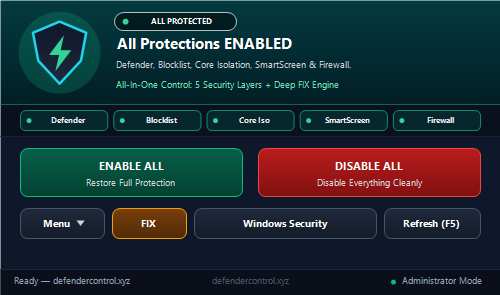
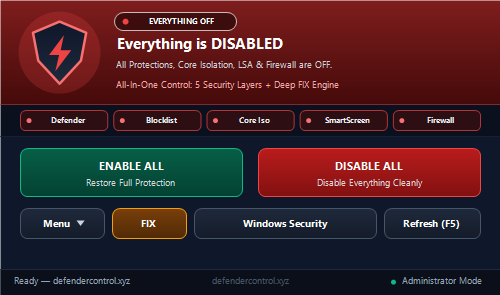
What "DISABLE ALL" Turns Off Cleanly
- 1. Windows Defender & Real-Time Protection: Writes
DisableAntiSpyware = 1,DisableAntiVirus = 1, Real-Time/Behavior/IOAV/Script scanning blocks, suppresses Defender alerts, and disables/stopsWinDefend&WdNisSvc. - 2. Vulnerable Driver Blocklist: Sets
HKLM\SYSTEM\CurrentControlSet\Control\CI\Config\VulnerableDriverBlocklistEnable = 0. - 3. ALL Software Core Isolation & VBS: Sets
HypervisorEnforcedCodeIntegrity(HVCI),KernelShadowStacks,SystemGuard,CredentialGuard,KeyGuard,EnableVirtualizationBasedSecurity, and LSA Protection (RunAsPPL/RunAsPPLBoot/LsaCfgFlags) to0, and cleans DeviceGuard GPO overrides. - 4. Windows SmartScreen: Turns off Explorer & System SmartScreen checks cleanly.
- 5. Windows Defender Firewall: Sets
EnableFirewall = 0across Domain, Standard, and Public profiles cleanly.
Visual Previews (5-Chip Live Bar)
Silent Command-Line Usage
"Defender Control AIO.exe" /disable
"Defender Control AIO.exe" /enable
"Defender Control AIO.exe" /fixOfficial SHA-256 Verification
AIO SHA-256:
794A1E57170B72F39E52E00FC8EFFB6395C0369A93AC66F624DAE192C22E95EF