
How Defender Control Works Under Windows 10 & 11
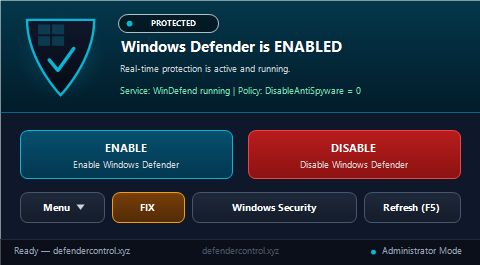
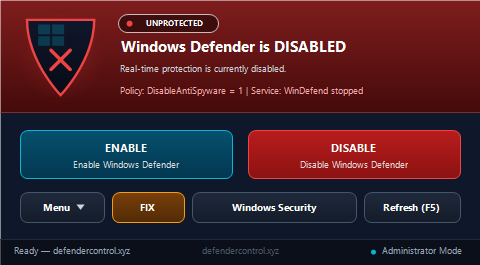
Turning off Real-Time Protection inside Windows Security is only temporary — Microsoft automatically re-enables Defender after a short timeout or system reboot. Defender Control cleanly automates the official enterprise policy state and Windows service startup configuration in one click:
- Policy Registry Key: Manages
HKLM\SOFTWARE\Policies\Microsoft\Windows Defender → DisableAntiSpyware(set to1when disabled; cleanly deleted when enabled). - Service Control Manager (WinDefend): Configures
WinDefendstartup mode (SERVICE_DISABLED/SERVICE_AUTO_START) and requests service stop/start safely. - Automatic Tamper Protection Guard: Inspects
HKLM\SOFTWARE\Microsoft\Windows Defender\Features → TamperProtectionbefore applying changes and opens Windows Security directly if Tamper Protection blocks modification.
Visual Previews (Enabled vs Disabled)
Silent Command-Line Automation (CLI)
Ideal for post-install Windows customization scripts, virtual machines, lab benchmarking, and IT deployment:
"Defender Control.exe" /disable
"Defender Control.exe" /enableOfficial SHA-256 Verification
Always verify the downloaded executable via PowerShell Get-FileHash:
EXE SHA-256:
0D962A6E34DF0AB09903DA1D111E9C03F31ACAD763337079B5B7847A64A690EF